
21daychange
Healthcare Explainer Videos
In today’s fast-paced, information-overloaded world, one of the most significant challenges in the healthcare industry is clear communication. Whether it’s explaining a complex medical procedure, guiding patients on how to use a new digital health app, or promoting public health initiatives, healthcare explainer videos are quickly becoming a go-to solution.
These short, engaging visual tools simplify complicated medical concepts into easy-to-understand language using animation, voiceovers, and storytelling. But they’re not just trendy—they’re essential for patient engagement, staff training, and public awareness.
Let’s dig deeper into why healthcare explainer videos are more than just marketing content—they’re a crucial bridge between healthcare providers and the people they serve.
Why Healthcare Explainer Videos Are More Important Than Ever
Healthcare is one of the most information-heavy industries. From medical jargon to complex treatment plans, patients are often left overwhelmed, confused, or misinformed. This is where explainer videos come in—not just as a creative tool, but as a practical solution to a pressing problem.
Simplifying Complex Medical Concepts
Imagine trying to explain something like insulin resistance or robotic knee surgery in a brochure. Most patients won’t fully absorb it. But a 90-second explainer video that uses animation, voice narration, and simple metaphors can do the job effortlessly. These videos reduce cognitive load and help patients retain critical information.
Enhancing Patient Engagement
A study from the Journal of Medical Internet Research found that video-based education significantly improves patient knowledge and satisfaction. Instead of sifting through leaflets or scrolling through dense websites, patients can watch a quick video that tells them everything they need to know—whether it’s about a new medication or how to prep for a colonoscopy.
Breaking Language and Literacy Barriers
Not every patient reads at a high level or speaks fluent English. Healthcare explainer videos can be translated, captioned, and animated in ways that make them more accessible to diverse populations. Visual storytelling transcends language in a way that written content never can.
Helping Medical Staff Too
It’s not just patients who benefit. New nurses, administrative staff, or interns also need orientation, policy guidance, and training. Instead of long manuals, videos can provide efficient and engaging onboarding that improves information retention.
Supporting Telehealth and Digital Platforms
With the explosion of telemedicine and health apps, there’s a growing need for on-screen instructions. Explainer videos are used to onboard users to digital healthcare platforms, guide them on logging symptoms, booking appointments, or understanding their lab results online.
Key Elements of an Effective Healthcare Explainer Video
Not all explainer videos are created equal. In the healthcare space, there’s a unique blend of creativity and responsibility involved. You’re not just making something fun—you’re making something factual, empathetic, and accessible.
Here are the key elements that make a healthcare explainer video truly impactful:
| Element | Why It Matters |
| Simple Language | Healthcare is complex—your video shouldn’t be. Use plain, everyday language. |
| Engaging Visuals | Animations, icons, and diagrams hold attention and aid memory. |
| Professional Voiceover | Clear, calm narration adds trust and humanizes the message. |
| Short Duration (1–2 min) | Attention spans are short; get to the point quickly. |
| Emotional Tone | Use empathy—especially in topics like cancer, pregnancy, or mental health. |
| Accessibility Features | Include captions, sign language, and translation for inclusivity. |
| Compliance and Accuracy | Must follow HIPAA, FDA, or other relevant regulations to avoid misinformation. |
Bonus Tip: Storytelling Works
A patient named Sarah, a doctor explaining a procedure, or a character going through an insurance claim—mini-stories resonate deeply. People don’t remember statistics. They remember stories. So wrap your message inside one.
Animation vs. Live-Action
Animated videos tend to be more versatile and cost-effective, while live-action videos feel more personal and real. Depending on your message, you might choose one—or even blend both.
Best Use Cases for Healthcare Explainer Videos
Now that we know what makes a healthcare explainer video effective, let’s look at where these videos make the biggest impact. Whether you’re a hospital, a startup, or a public health agency, there’s a use case that fits your goals.
Patient Education
One of the most common and beneficial uses. Examples include:
- Procedure Preparation: How to get ready for surgery
- Medication Instructions: How to use an inhaler or apply a patch
- Condition Explanation: What is Crohn’s disease? How does anxiety affect the body?
These videos help patients understand, trust, and follow through on their treatment plans.
Public Health Campaigns
Organizations like the CDC and WHO use explainer videos to spread awareness about:
- Vaccination safety
- Pandemic protocols
- Mental health support and resources
- Nutrition and exercise
These videos are designed for social sharing and maximum reach.
Insurance and Billing Explanations
Explaining copays, deductibles, prior authorization, and in-network providers is a nightmare in print. Videos turn this into a visual, digestible experience, reducing call center volume and improving user experience.
App Onboarding and Digital Health Tools
Many health apps now launch with a series of short explainer videos that walk users through:
- Setting up their profile
- Connecting with a doctor
- Understanding their dashboard or lab reports
This reduces drop-off rates and increases app retention and satisfaction.
Internal Training and Staff Orientation
Hospitals and clinics use videos to onboard new staff on:
- Safety protocols
- New technology or equipment
- HR policies
- COVID-19 procedures
This ensures consistency and efficiency in training across departments and shifts.
Frequently Asked Questions (FAQs)
How long should a healthcare explainer video be?
Ideally, 60 to 120 seconds. Longer videos risk losing viewer attention. For more complex topics, break content into shorter series.
Do these videos require actors or animation?
Not always. Many healthcare explainer videos are fully animated, using simple visuals and voiceovers. Others use live-action actors, often clinicians or patients, depending on tone and content.
Are healthcare explainer videos HIPAA-compliant?
They can be—as long as they don’t disclose identifiable patient information and follow content guidelines. It’s critical to review scripts and visuals with a legal or compliance team, especially in the U.S.
How much do healthcare explainer videos cost?
Costs vary. A basic animated explainer can range from $2,000 to $8,000. Live-action videos with actors or real locations may go up to $10,000 or more, depending on production quality and length.
What’s the best platform to host healthcare videos?
Use YouTube for public sharing, and private video platforms like Vimeo or Wistia for controlled environments like patient portals or internal HR systems.
Can healthcare providers create these videos in-house?
If you have a skilled team, yes. However, outsourcing to a healthcare-specialized video production company is recommended for accuracy, polish, and compliance. DIY videos can sometimes fall short in tone and clarity.
. How do explainer videos help with health literacy?
They break down difficult medical terms into understandable visuals and narratives, increasing retention and confidence in patients. Especially useful for underserved or non-native-English-speaking communities.
Conclusion
Healthcare explainer videos aren’t just a marketing trend—they’re a powerful communication tool that’s changing how medical information is shared. In a field where clarity can make the difference between confusion and compliance—or even between life and death—these videos fill a massive gap.
From educating patients about a chronic condition to onboarding new staff, from simplifying insurance policies to boosting public health campaigns, explainer videos have a critical role in every corner of healthcare.
If you’re a healthcare provider, administrator, or startup founder, it’s time to ask: Are you speaking your audience’s language—or just talking over them? An explainer video might be the answer.
Key Takeaways
- Healthcare explainer videos simplify complex information for patients, staff, and the public.
- They are effective because of visual storytelling, emotional tone, and accessibility.
- Use cases include patient education, internal training, digital health onboarding, and more.
- To succeed, focus on clarity, empathy, and accuracy.
- Short, impactful videos can build trust and drive action in a way text alone often can’t.
Video Production Company
Let’s face it—video is no longer just a “nice to have” for your brand. It’s a must-have. Whether it’s a 30-second ad for social media or a full-blown brand documentary, videos connect in ways that static images and text simply can’t. And if you’re considering leveling up your content game, you’re probably looking into hiring a video production company. But what do they really do? How do you choose the right one? And most importantly—is it worth the investment?
Let’s walk through everything you need to know, in plain, simple language.
What Does a Video Production Company Do?
You might think a video production company just shows up with a camera and starts filming. Not quite. A full-service video production company handles everything from planning to final edits, and even sometimes the distribution.
Here’s a breakdown of what they typically handle:
Pre-Production
This is where the magic begins. Before the camera even rolls, a lot happens behind the scenes:
- Scriptwriting
- Storyboarding
- Casting actors or voice-over talents
- Scouting locations
- Planning the shooting schedule
- Arranging permits and equipment
Basically, they build the roadmap for the entire project. Without solid pre-production, the video is likely to fall flat.
Production
This is the filming stage, where everything planned finally comes to life.
- Directing and filming the scenes
- Managing lighting, audio, and set design
- Ensuring everything is shot according to plan
It’s the part most people imagine when they hear “video production.” But again, it’s just one piece of the puzzle.
Post-Production
Once filming wraps, the editing team steps in:
- Cutting footage and organizing scenes
- Adding music, sound effects, and voice-overs
- Color correction and visual effects
- Creating subtitles and finalizing output formats
This is where your raw footage turns into a polished, engaging story that your audience can connect with.
Types of Videos They Create
Depending on their niche and expertise, video production companies can produce:
- Corporate videos – for internal training or company profiles
- Brand stories – emotionally driven content that shares your brand’s mission
- Commercials and ads – for TV, YouTube, or social platforms
- Explainer videos – simple, animated, or live-action videos to break down complex topics
- Event coverage – for seminars, product launches, or live streams
- Testimonial and case study videos – real customers sharing real results
Freelancers vs Agencies
You might be wondering, “Can’t I just hire a freelancer instead?” Sure, you can—but it depends on your goals.
| Aspect | Freelancer | Production Company |
| Cost | Lower | Higher but more comprehensive |
| Team size | Usually one person | Full crew (director, editor, scriptwriter) |
| Equipment | May rent or use personal gear | Professional-grade cameras and lighting |
| Creative control | Flexible, but limited bandwidth | Structured but collaborative process |
| Scalability | Limited | Scalable for big projects and multiple videos |
Freelancers are great for smaller, quick-turnaround projects. But if you’re aiming for high production value, consistency, and scalability, a video production company is often the better route.
How to Choose the Right Video Production Company
So you’re ready to hire one—but how do you pick the right fit? It’s not just about who has the flashiest reel. You want a team that understands your brand, speaks your language, and can bring your vision to life.
Here are some tips to help you choose wisely:
Check Their Portfolio
This is your window into their style, creativity, and quality. Look for:
- Projects similar to yours
- Storytelling strength
- Visual consistency and editing quality
If their past work gives you goosebumps or makes you smile, that’s a good sign.
Know Your Budget
Video production isn’t cheap—but it’s not always insanely expensive either. Be honest about your budget from the beginning. Most companies offer flexible pricing or package tiers.
Here’s a quick comparison:
| Package Tier | Price Range (USD) | Includes |
| Basic | $1,000 – $3,000 | 1-2 min video, one shoot day, basic editing |
| Standard | $3,000 – $8,000 | Scriptwriting, multiple scenes, post-production polish |
| Premium | $8,000+ | Full campaign, actors, multiple shoot days, animations |
Tip: Always ask what’s included—some companies quote low but add extra charges for revisions, voice-overs, etc.
Evaluate Communication
You’ll be working closely together, so chemistry matters. A good video production company will:
- Listen to your needs
- Ask smart questions
- Keep you updated throughout the process
If they ghost you early on or seem rushed, that’s a red flag.
Ask About Their Process
A solid production team will walk you through each phase and give you a timeline. Ask:
- What’s the usual turnaround time?
- How many revisions are included?
- Who owns the final footage?
Transparency here means fewer surprises later.
Benefits of Hiring a Professional Video Production Company
So why hire a team when you could try DIY or go with a freelancer? Here’s why a professional video production company can be a game-changer for your brand.
Quality and Creativity
High-quality visuals grab attention. But storytelling keeps people watching. A pro company merges technical skills with creative direction so that your video doesn’t just look good—it resonates.
Saves You Time
Filming and editing take a lot of time—especially if you don’t know what you’re doing. Hiring a production company means you can focus on your business while they handle the grunt work.
Better ROI
Yes, you pay more upfront—but pro videos often result in:
- Higher engagement
- Better brand recall
- Increased conversion rates
And that can translate to more sales, leads, or whatever your goal may be.
Scalable and Repeatable
Need 10 videos for a full campaign? A freelancer may struggle. But a production company can replicate quality at scale, ensuring brand consistency across platforms.
Strategy and Distribution Insight
Some video companies offer marketing support, helping you place the video on the right channels—YouTube, Facebook, LinkedIn, and even TV. That kind of guidance is priceless if you’re unsure how to reach your audience.
Frequently Asked Questions (FAQs)
How much does it cost to hire a video production company?
Prices vary widely depending on project scope, but most companies charge between $1,000 to $10,000 for standard corporate videos. Large campaigns can exceed $20,000 or more.
What should I prepare before contacting a video production company?
Know your goals, target audience, budget, and desired timeline. Having a rough idea or script is helpful but not required—most companies assist with scripting.
How long does video production usually take?
Simple videos can be done in 2–4 weeks. Complex shoots with multiple locations or animations can take 6–12 weeks, depending on revisions and approvals.
Do video production companies provide actors, scripts, or locations?
Yes, most full-service companies handle casting, scripting, and location scouting as part of the pre-production phase.
Can I request revisions if I’m not satisfied with the first draft?
Absolutely. Most companies offer 1–3 rounds of revisions included in the package. Always clarify this before signing the contract.
Conclusion
Hiring a video production company isn’t just about getting a camera crew to film your next ad. It’s about creating powerful stories that move people, explain your message, and elevate your brand. In today’s digital world, where attention is short and competition is fierce, a well-crafted video can make the difference between being seen—or being skipped.
So whether you’re launching a new product, sharing your company’s mission, or just trying to reach more customers—investing in professional video production could be the smartest move you make this year.
Do your research, trust your gut, and choose a team that genuinely cares about your vision. Because great stories deserve to be told beautifully.
Video Benefits
In a world where attention spans are getting shorter than your average TikTok clip, video content is stepping into the limelight as the MVP of communication. Whether you’re scrolling through Instagram, attending a virtual lecture, or watching a YouTube product review, video has a way of capturing your eyes—and holding onto them. But what exactly makes video content such a powerhouse? And why is everyone from marketers to educators doubling down on video? Buckle up, because we’re about to unpack the multi-layered benefits of video and why it’s no longer optional in the digital age—it’s essential.
Why Video Content Grabs Attention Like Nothing Else
Let’s face it—humans are visual creatures. We process visuals 60,000 times faster than text. When you combine visuals with motion and sound, like you do in a video, you’re basically hacking into the brain’s natural preference for information. That’s why videos stand out in a sea of status updates, tweets, and blog posts.
It’s the Scroll-Stopping King
Ever find yourself endlessly scrolling, only to come to a complete stop at a video autoplaying in your feed? Yeah, that’s the scroll-stopping effect. The combination of movement, sound, and story hooks people in a way static content just can’t. A good video grabs your attention within the first three seconds—and that’s crucial in the age of digital distraction.
Retention Rates Skyrocket
Here’s a juicy stat: viewers retain 95% of a message when they watch it in a video, compared to just 10% when reading it in text. That’s not just a stat—it’s a strategy. If you want people to remember your brand, product, or idea, say it in a video.
Multi-Sensory Engagement
Videos engage multiple senses at once—sight, sound, and sometimes even touch if we’re talking interactive content. That makes the message more immersive and, therefore, more memorable.
Accessibility and Shareability
You don’t need to be a scholar to “get” a video. They break down complex concepts and make them easy to digest. Add subtitles or translations, and you’ve got a global piece of content ready to travel.
The Power of Video for Business, Marketing, and Education
If you’re thinking video is just for entertainment, think again. It’s a secret weapon across industries—especially in business, marketing, and education. Let’s break it down:
Marketing Mojo
Video is now the holy grail of content marketing. Why? Because it converts. According to HubSpot:
- 87% of marketers say video gives them a positive ROI.
- Including a video on a landing page can boost conversion rates by 80%.
- 64% of consumers say watching a video makes them more likely to buy.
And it’s not just about flashy ads. Video content like product demos, customer testimonials, and behind-the-scenes footage builds trust and authenticity.
Business Communication Gets a Boost
Whether it’s internal training or client onboarding, video simplifies complex processes. It’s efficient, repeatable, and scalable. Need to explain a new software? Send a quick video tutorial instead of a 10-page PDF.
Education Goes Edutainment
The rise of “edutainment” is changing classrooms—both physical and virtual. Students of all ages learn better when lessons are visual and interactive. From Khan Academy to YouTube lectures, videos make education accessible and engaging.
Table: Video vs. Other Content Types
| Content Type | Engagement Rate | Retention Rate | Shareability | Complexity Handling |
| Video | ★★★★★ | ★★★★★ | ★★★★★ | Excellent |
| Images | ★★★★☆ | ★★☆☆☆ | ★★★★☆ | Limited |
| Text | ★★☆☆☆ | ★☆☆☆☆ | ★★☆☆☆ | Moderate |
| Audio | ★★★☆☆ | ★★★☆☆ | ★★★☆☆ | Depends on context |
Emotional Impact and Storytelling Through Video
You ever cry over a 30-second commercial? Laugh uncontrollably at a random TikTok? That’s the emotional power of video. It’s not just about information—it’s about connection.
Facial Expressions + Voice = Empathy
Facial expressions, tone of voice, background music—they all contribute to a richer experience. A heartfelt message in a blog post might tug at your heart a little, but when delivered through video? Game over. Tears, laughter, goosebumps—you name it.
Storytelling That Sticks
Humans are wired for stories. Video allows brands and creators to tell immersive narratives that stick in your memory. Even a simple “day in the life” vlog can build a personal connection between viewer and creator.
Authenticity That Breaks the Wall
People crave real. Videos that feel candid, behind-the-scenes, or unfiltered resonate far more than polished, scripted pitches. Think of how TikTok has popularized the “unpolished” aesthetic—people love it.
FAQs: Everything You’ve Ever Wondered About Video Content
Why do people prefer video content?
Because it’s fast, easy, and entertaining. Videos engage multiple senses, are easy to consume on the go, and often feel more personal than other types of content. Add some background music, a compelling voiceover, and BOOM—you’ve got their full attention.
Are videos more effective than articles?
In many cases, yes. Especially when you’re trying to:
- Explain a complex idea
- Market a product
- Increase user engagement
- Boost conversions
That said, long-form articles still have their place—especially for SEO and in-depth exploration.
How long should a video be to keep people engaged?
Depends on the platform:
- Instagram Reels/TikTok: 15–60 seconds
- YouTube explainer: 2–10 minutes
- Webinars/tutorials: 15–60 minutes
The key? Deliver value early and keep it visually dynamic.
Do I need fancy equipment to start creating videos?
Nope! A smartphone, natural light, and a quiet room are enough to get started. Of course, as you grow, investing in a mic and tripod can elevate your content.
What kind of videos should businesses create?
A healthy mix:
- Explainer videos
- How-tos and tutorials
- Testimonials
- Behind-the-scenes
- Live Q&As or product launches
Can videos improve SEO?
Absolutely. Videos:
- Increase time spent on your page
- Lower bounce rates
- Get indexed on YouTube (owned by Google)
- Improve click-through rates in search results
Just make sure to add transcripts and metadata to help search engines crawl the content.
Conclusion: Why Video is the Real MVP of Content
In a digital jungle overflowing with information, video isn’t just king—it’s the entire royal court. It grabs attention, connects emotionally, and delivers value fast. Whether you’re a brand trying to go viral, a teacher looking to boost retention, or just someone with a story to tell, video is your best bet.
It’s not about chasing trends—it’s about meeting people where they are. And right now, people are watching. So grab your camera (or phone), hit record, and step into the most powerful medium of the modern age.
YouTube Banner Sizes: Everything You Need to Know for 2025
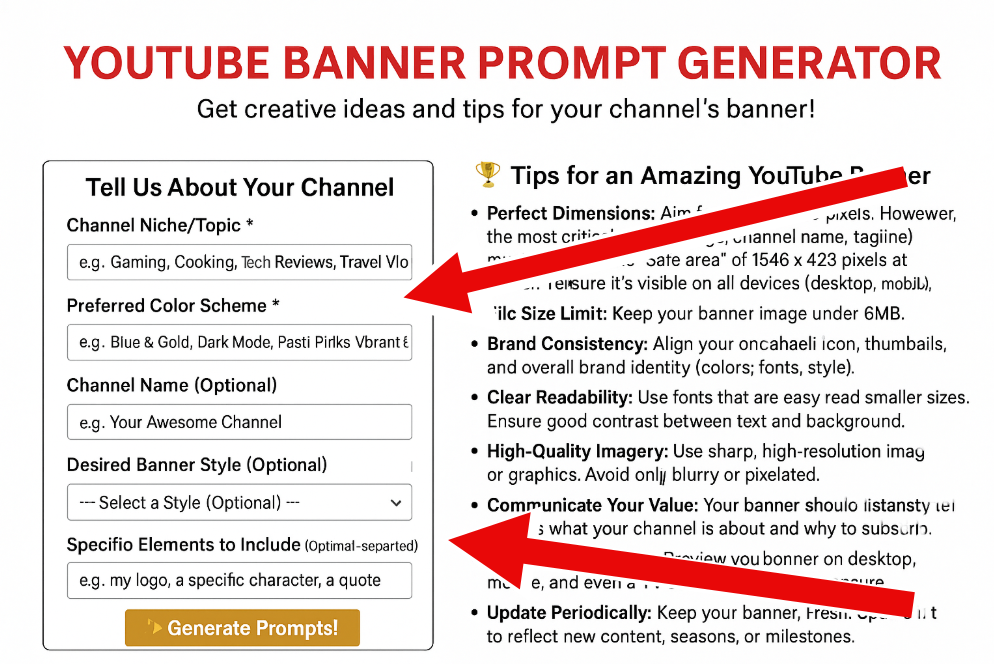
When you’re setting up your YouTube channel, one of the first things you need to think about is your channel art—specifically, your YouTube banner. This is the first thing people see when they visit your channel, so it’s a huge part of your brand identity. But getting the right size for your banner can be tricky, especially with how it shows up differently across devices.
The Right YouTube Banner Dimensions for 2025
To make sure your YouTube banner looks great everywhere, you need to follow these size recommendations:
- Recommended size: 2560 x 1440 pixels (16:9 aspect ratio)
- Minimum size: 2048 x 1152 pixels
- Safe area for text and logos: 1235 x 338 pixels (this area will always be visible)
- Maximum width: 2560 x 423 pixels
- Max file size: 6MB
- File formats supported: JPG, PNG, GIF, BMP
The 2560 x 1440-pixel size ensures that your banner looks sharp and high-quality no matter what screen size it’s viewed on. Think of it as a high-res photo that won’t lose its detail when it’s shrunk down.
What’s the “Safe Area” All About?
One key thing to understand when designing your YouTube banner is the “safe area.” This refers to the portion of your banner that will definitely show up across all devices.
The safe area is 1235 x 338 pixels, right in the center of your banner. No matter what device your viewer is using, whether it’s a phone or a smart TV, this part will be visible. So, you want to make sure your logo, channel name, or any important text is placed here.
Anything outside the safe area might get cut off on smaller screens, even though it could show up fine on bigger ones. That’s why it can be frustrating when banners look different across devices.
How Your YouTube Banner Appears on Different Devices
Your banner won’t look the same on every device. Here’s what you can expect:
- Desktop and Laptop View: On larger screens, your banner will display at the full 2560 x 1440 pixels. This gives you plenty of room to showcase your brand, but make sure your important elements are still in the safe area.
- Mobile View: On smartphones, only a section of your banner will show—about 1546 x 423 pixels. This means the edges of your banner get cropped, so be careful about putting important details there.
- TV View: When people watch on smart TVs, they’ll see the full width of your banner. While you don’t need to design specifically for TV, it’s still a good idea to check that everything looks good when fully displayed.
How to Add Your YouTube Banner
Once you’ve got your banner designed and sized properly, adding it to your channel is easy:
- Log into YouTube and go to your channel.
- Click on your profile picture in the top-right corner and choose “View Your Channel.”
- Select “Customize Channel” to get to the customization settings.
- Go to the “Branding” tab and click “Banner Image.”
- Upload your banner image from your computer.
- Adjust how it looks with YouTube’s preview tool, which lets you see how it’ll appear on different devices.
- Hit “Done” and then “Publish” to save your changes.
Design Tips for Your YouTube Banner
A good banner does more than just look nice—it also helps viewers understand what your channel is about. Here are some tips to make yours stand out:
- Show Off Your Brand Identity: Your banner should immediately give people an idea of what your channel is about. Include your brand colors, logo, and any visuals that match your channel’s vibe.
- Keep Text Simple: Only add essential details like your channel name or tagline. Make sure the text is easy to read on all screen sizes, and remember that most of it should go in the safe area.
- Use High-Quality Images: Avoid low-res images that look pixelated. You want sharp, clear visuals that look professional on any device.
- Create a Visual Hierarchy: Make sure the most important elements stand out. Your channel name should be the focus, followed by any key images or other messages.
- Stay Consistent: Your banner should match the look and feel of your videos and thumbnails. Consistent design across your channel helps viewers recognize and remember your brand.
- Don’t Overcrowd: Keep it simple—don’t try to fit in too many elements. Use white space wisely to create a balanced, visually appealing design.
Best Practices for YouTube Banners in 2025
To make your banner as effective as possible, here are some best practices:
- Optimize for Mobile: Since most YouTube traffic comes from mobile devices, make sure your banner looks good on smaller screens. Keep text readable and important elements visible on phones.
- Maintain Size Consistency: Ensure that your branding elements and text are sized consistently across your banner to keep everything looking neat and professional.
- Test on Different Devices: Before finalizing your banner, check how it looks on multiple devices. What works on a desktop might not look great on a phone or TV.
- Update Regularly: Keep your banner fresh by changing it up occasionally to reflect new content or seasonal events.
- Add a Call to Action: Your banner can do more than just look pretty—it can encourage action too. Add something like “Subscribe for weekly videos” to prompt viewers to engage.
- A/B Test Different Designs: Try out different banner designs and see which one gets the best response from your audience.
Tools for Creating Your YouTube Banner
If you’re not a design pro, don’t worry—there are plenty of easy-to-use tools to help you create a fantastic banner:
- Canva: Canva offers pre-designed YouTube banner templates that you can easily customize. Plus, it gives you the exact dimensions you need.
- Adobe Express: Adobe Express provides templates made for YouTube channel art. It’s user-friendly and still gives you plenty of creative options.
- Crello: Crello’s got some great ready-made templates for quick design work. You can even import your brand colors and fonts to keep things consistent.
- GIMP or Photoshop: If you’re comfortable with more advanced design tools, GIMP (free) or Photoshop (paid) give you full control over your banner design.
Common YouTube Banner Mistakes to Avoid
Even experienced creators make these mistakes, so be sure to watch out for:
- Ignoring the Safe Area: The biggest mistake is placing important text or logos outside the safe area. Keep them in the 1235 x 338-pixel central zone.
- Overcrowding the Design: Too much information makes your banner look cluttered. Stick to one clear message.
- Using Low-Resolution Images: Avoid blurry images! High-quality visuals are a must for a professional look.
- Mismatched Branding: Your banner should match the feel of your videos and other channel elements. Inconsistent branding can confuse your audience.
- Text That’s Too Small: Make sure your text is large enough to read on all devices, especially mobile.
Get Inspired: Examples of Great YouTube Banners
Looking at some successful channels can help you get a feel for what works:
- Educational Channels: Clean, simple designs with clear text and visuals that represent the subject matter.
- Gaming Channels: Bold graphics, bright colors, and elements from the games they feature.
- Vlogs and Lifestyle Channels: Personal photos that reflect the creator’s personality and lifestyle.
- Brand Channels: Professional designs with logos, consistent colors, and imagery that match the company’s overall branding.
Wrapping It Up
Your YouTube banner is more than just a decorative element—it’s a chance to make a great first impression and tell visitors what your channel is all about. By following the recommended sizes and paying attention to design details, you’ll be able to create a banner that looks great across all devices.
Remember, your banner is often the first thing people see when they visit your channel, so it’s worth taking the time to make it right. Whether you’re new to YouTube or just looking to refresh your channel, a well-designed banner can help you stand out and attract new subscribers.
Whiteboard Animation Company: Your Ultimate Guide to Finding the Best Partner in 2025
In today’s fast-paced digital world, businesses are always looking for creative ways to explain complex ideas in a way that grabs attention and sticks with people. That’s where whiteboard animation videos come in. These videos combine hand-drawn illustrations with storytelling, making them super effective at capturing and keeping an audience’s attention.
If you’re thinking about using whiteboard animation for your marketing, training, or educational needs, picking the right animation company is key. This guide will walk you through everything you need to know about whiteboard animation in 2025—from how the process works to how to find the best company to bring your vision to life.
Explaining Whiteboard Animation
A unique style of video where it looks like someone’s hand is drawing illustrations on a white background, while a narrator tells a story. This combination of visuals and voiceover creates an engaging experience that’s easy to follow and remember.
Here’s why whiteboard animations are so popular:
- They make complicated ideas simple: Visual storytelling is a great way to break down complex information.
- They hold your attention: Watching something get drawn in real-time is dynamic and keeps you interested.
- They help with retention: The mix of images and narration helps people remember information better.
- They leave a lasting impression: The charming, classic style makes your content memorable.
Whiteboard animations are typically short (around 1-3 minutes), easy to watch, and fun to follow.
The Whiteboard Animation Production Process
Knowing how whiteboard animation videos are made helps you better communicate with potential partners and set realistic expectations. While each company might have their own process, here’s what you can expect:
- Discovery and Scripting:
This is where the company gets to know you—your business, target audience, and goals. They’ll then write a script that highlights your message in a way that speaks upfront and directly to your audience. The script will be crafted to:- Address your audience’s pain points
- Emphasize your unique value
- Set the right tone
- Fit within the optimal video length (usually 1-3 minutes)
- Storyboarding:
After the script is finalized, the next step is storyboarding. This is where the visual flow of the animation is mapped out, showing how each frame aligns with the script. Storyboards give you the chance to provide feedback before the animation process begins, ensuring the video matches your vision. - Visual Creation and Animation:
Now, talented illustrators bring the storyboard to life, creating hand-drawn illustrations that will make up your video. The drawing hand will appear in real-time, giving the video that unique whiteboard style. The animators make sure the transitions between scenes are smooth and consistent. - Voiceover and Audio Integration:
The narration is a key part of whiteboard animation. A professional voice actor records a clear and expressive voiceover, and sound effects or background music are added to enhance the overall experience. - Post-Production and Editing:
Finally, editors synchronize the visuals with the voiceover and polish the video to perfection. They’ll make sure everything flows seamlessly, giving you a professional final product. Most companies allow for revisions during this phase so you can fine-tune things before the video is finished.
Why Work with a Professional Whiteboard Animation Company?
While DIY tools are available, working with a professional animation company offers several advantages:
- Expertise and Experience: Professional animators bring years of experience in visual storytelling, creating animations that effectively communicate your message.
- Custom, High-Quality Content: Unlike template-based services, a top animation company will craft a custom video that reflects your brand and message.
- Science-Backed Approach: Many companies use principles from neuroscience and psychology to create animations that maximize audience engagement and retention.
- End-to-End Solutions: These companies handle everything from concept to final delivery, ensuring a smooth, stress-free process.
- Measurable Results: Well-crafted animations can lead to real, measurable outcomes like increased engagement or higher conversion rates.
For example, MedVector worked with Yum Yum Videos to create whiteboard animations that helped them raise $3.5 million in funding—proving just how effective these videos can be.
How to Choose the Right Whiteboard Animation Company
With so many options out there in 2025, finding the right partner can be tricky. Here are some things to consider when making your decision:
- Portfolio and Experience:
Check out their past work to see if their style and quality match what you’re looking for. Pay attention to:- Visual quality
- Storytelling ability
- Experience with similar projects or industries
- Production Process:
Make sure their process aligns with what you expect. Ask about:- How they approach script development
- Their revision and feedback process
- How they manage timelines
- How they communicate during production
- Client Testimonials and Case Studies:
Positive reviews and case studies that show measurable results are great indicators of a company’s ability to deliver. - Pricing and Value:
While price is important, focus on the value you’re getting. Consider:- What’s included in the price (revisions, music, voiceover, etc.)
- The quality of their work relative to the price
- The potential return on investment
- Specialization and Expertise:
If you’re looking for educational videos or marketing materials, find a company with experience in that area.
Top Whiteboard Animation Companies in 2025
Here are some leading companies to consider:
- TruScribe: Known for their “Scribology” method, which uses neuroscience to boost engagement.
- Yum Yum Videos: A top player with a proven track record, working with big names like Walmart and Red Bull.
- Next Day Animations: Efficient and effective, with quick turnaround times.
- Switch Videos: Focused on high-quality visuals and storytelling.
- We Are Cognitive: Combines creativity with strategy to create videos that drive results.
Common Uses for Whiteboard Animation Videos
Whiteboard animations can be used for various business functions:
- Marketing and Branding: Promote your products or explain your services in a unique, engaging way.
- Training and Education: Simplify complex processes to help people learn and retain information.
- Internal Communications: Use animations for company-wide updates, policy explanations, or change management.
- Product Demonstrations: Show off your product’s features and benefits in a fun, memorable way.
- Fundraising and Investor Pitches: Explain your business model and market potential to investors.
Pricing Expectations for Whiteboard Animation Services
Prices vary, but here’s a rough guide for 2025:
- Budget Tier ($1,500 – $3,000): Basic animations, fewer revisions, and stock music.
- Mid-Range Tier ($3,000 – $8,000): Custom illustrations, quality voiceovers, and multiple revisions.
- Premium Tier ($8,000 – $15,000+): Highly detailed, custom animations with strategic messaging and premium voice talent.
Conclusion: Why Invest in Whiteboard Animation?
In 2025, whiteboard animation is still one of the best ways to explain complex ideas in an engaging and memorable way. By choosing the right animation company, you can create content that not only captures attention but also delivers real results for your business.
When evaluating companies, think about their portfolio, process, client feedback, and the value they offer. The best partner will take the time to understand your needs and work with you to create a video that truly communicates your message.
What is Traditional Animation? Let’s Dive into the World of Hand-Drawn Animation
Traditional animation, also known as hand-drawn or cel animation, has been around for over a century, and it still holds a special place in the hearts of animation lovers worldwide. You’ve probably seen it in Disney classics or even in films from studios like Studio Ghibli. But what exactly is it? How does it work? And why does it still matter today, even with all the new digital techniques available? Let’s explore this timeless art form.
What is Traditional Animation?
At its core, traditional animation is all about drawing each frame by hand. Animators create a series of drawings, each slightly different from the last, and when these are shown one after the other at a fast pace (around 24 frames per second), they come to life and create the illusion of movement.
You might also hear the term “cel animation” tossed around. This comes from the word “celluloid,” the transparent sheets animators would use to draw the frames. These cels were then placed over painted backgrounds and photographed, one by one, to form the full animation sequence.
The History of Traditional Animation
Traditional animation has a rich history that spans over 100 years, evolving from simple optical toys to the complex, detailed works of today.
The Early Days
It all started with devices like the zoetrope, invented in the 1830s. This spinning device made sequential images appear to move, laying the groundwork for animation. But true animation as we know it didn’t kick off until the early 1900s.
In 1908, a French animator named Émile Cohl made what’s considered the first animated film, Fantasmagorie. It was a short film where a stick figure character interacted with changing objects. It didn’t have much of a plot, but it showed just how creative animation could be.
The Golden Age
The 1920s to the 1950s is often called the Golden Age of Animation. This was when big names like Disney and Warner Bros. became animation giants. Walt Disney, in particular, changed the game with innovations like:
- The first synchronized sound in Steamboat Willie (1928)
- The use of the multiplane camera for depth in Snow White and the Seven Dwarfs (1937)
- And advanced animation techniques that brought characters to life with incredible detail and personality.
This period saw animation grow from basic black-and-white cartoons into full-length, colorful feature films with deep storytelling.
The Modern Era and Digital Influence
By the 1990s, computer animation started taking over, and many studios moved away from traditional hand-drawn methods. But it hasn’t disappeared entirely. Studios like Studio Ghibli in Japan still create beautiful, hand-drawn animated films like Spirited Away (2001) and The Wind Rises (2013).
Nowadays, traditional animation is often combined with digital tools. Some animators use digital techniques to streamline the process but still keep that classic, hand-drawn look.
How Does Traditional Animation Work?
Creating a traditional animation involves several detailed steps, each requiring specific skills.
- Storyboarding
First, animators create a storyboard. Think of it like a comic strip that shows the basic flow of the story, with key moments and transitions mapped out. This helps animators plan out the scenes before they start working on the full animation. - Voice Recording
Before animators start drawing, voice actors record their lines. This allows animators to sync the movements of the characters with the timing of the voice acting. - Animatic Development
After the voices are recorded, the team creates an animatic, which is a rough version of the animation with the storyboards timed to the voice recordings. This helps spot any timing or story issues early on. - Design and Timing
Next, the design team creates reference sheets showing how each character looks from different angles and with different expressions. The timing directors analyze the animatic and create exposure sheets to map out every frame of action. - Layout
Layout artists decide the camera angles, lighting, and character placement for each scene. This step sets the visual foundation for everything that follows. - Animation
The main animation happens here, with different roles like:- Key Animators: Draw the big moments, or “keyframes.”
- Inbetweeners: Fill in the frames between the keyframes to smooth out the motion.
- Clean-up Artists: Refine the drawings, making them neat and final.
Traditionally, animators worked on paper with registration holes to make sure the frames lined up correctly.
- Ink and Paint
In the past, cleaned-up drawings were transferred to transparent sheets (cels) and painted on the back. Today, digital tools are often used for coloring, but the original hand-drawn process is still key. - Compositing and Camera Work
The final step involves photographing or scanning the frames against their backgrounds. This used to be done with a special camera set up above the artwork, but now most studios scan the images and do the final compositing digitally.
Types of Traditional Animation
There are a few different types of traditional animation, each with its own style.
- Cel Animation: This is the most common form, where drawings are made on transparent sheets (cels) and placed over backgrounds.
- Rotoscoping: Here, animators trace over live-action footage frame by frame. This technique was used in early Disney films like Snow White and more recently in movies like A Scanner Darkly (2006).
- Cutout Animation: In this method, characters are made from flat materials like paper or fabric. These pieces are moved slightly for each frame to create movement. South Park began with cutout animation before switching to digital methods.
Traditional Animation vs. Digital Animation
While digital animation is now the standard for many studios, traditional animation still stands out for its unique qualities.
- Direct Artistic Control: In traditional animation, animators have a hands-on connection to their work.
- Distinctive Visual Style: Hand-drawn animation has a warmth and charm that digital animation often struggles to replicate.
- Production Process: While digital animation can streamline many tasks, traditional animation allows for a more personal, artisanal touch.
Hybrid Approaches
Today, many productions blend both traditional and digital techniques. For example, some hand-drawn animation is scanned and colored digitally, or traditional principles are applied using digital tools.
The Future of Traditional Animation
Even with 3D animation dominating the film industry, traditional animation is still relevant. Here’s why:
- It offers unique artistic expression and styles.
- Independent animators find it accessible.
- There’s a nostalgic, timeless appeal to it.
- It’s especially beloved in places like Japan, where studios like Ghibli continue to produce amazing hand-drawn works.
Famous Examples of Traditional Animation
Traditional animation has given us some of the most iconic films:
- Classic Disney Films:
- Snow White and the Seven Dwarfs (1937)
- Pinocchio (1940)
- The Lion King (1994)
- Studio Ghibli Masterpieces:
- My Neighbor Totoro (1988)
- Spirited Away (2001)
- The Tale of The Princess Kaguya (2013)
- Independent and Artistic Animation:
- The Triplets of Belleville (2003)
- The Secret of Kells (2009)
- Loving Vincent (2017), which used rotoscoping and had 125 artists hand-paint every frame in the style of Van Gogh.
How to Learn Traditional Animation
Interested in learning traditional animation? It’s a skill that requires practice and patience. Here’s how to get started:
- Learn the Basics: Animation relies on principles like timing, weight, and exaggeration. Start with simple exercises, like animating a bouncing ball or walking cycles.
- Use the Right Tools: You can use lightboxes or animation discs for paper animation, or digital tablets and software like Adobe Animate for digital tools.
- Explore Resources: Take online courses, watch tutorials, and join animation communities to improve your skills.
Final Thoughts
Traditional animation is more than just a technique—it’s a form of artistic expression that has stood the test of time. Even as digital tools continue to evolve, the magic of hand-drawn animation remains a powerful and captivating part of the animation world. Whether you’re watching a Disney classic or a modern Studio Ghibli film, you can always appreciate the dedication and creativity behind the frames.
The Top 10 Video Technology Trends That Will Shape 2025
The world of video technology is moving faster than ever, changing how we create, consume, and interact with visual content. In this guide, we’ll explore the top 10 video technology trends that are shaping 2025 and transforming the way we communicate through visuals.
AI-Powered Video Production
Artificial Intelligence is completely changing the way videos are produced. With AI tools, video production has become quicker, more accessible, and much more advanced. Here’s what AI brings to the table:
- Automated Editing: AI can now take raw footage and turn it into a finished video with minimal input from humans, which speeds up production.
- Real-time Captions and Translations: Thanks to advanced speech recognition, AI can instantly generate accurate captions in different languages.
- Personalized Content: AI looks at viewer preferences and tailors videos specifically to them, creating more relevant experiences.
- Synthetic Voices & Lip-Syncing: AI can now generate voiceovers that sound real and match characters on screen.
- Dynamic Backgrounds: No more physical sets in many cases—AI can create and adjust video backgrounds based on what the content needs.
For businesses, this means quicker turnaround, lower production costs, and the ability to create more content without sacrificing quality. Thanks to AI, smaller companies can now take full advantage of video in their marketing efforts.
Immersive 360-Degree Videos
360-degree video is making a huge impact, turning regular video into an interactive experience. Viewers can look around a scene from every angle, offering a level of immersion that traditional videos just can’t match. Some key advancements include:
- Spatial Audio: The sound changes based on where you’re looking, making it sound even more lifelike.
- Higher Resolution: New 360-degree cameras are capable of capturing video in 8K or higher.
- Better Stitching: AI has improved the stitching between multiple cameras, making seams invisible.
- Interactive Hotspots: Viewers can click on elements in the video for extra information or to navigate to other content.
Industries like real estate, tourism, retail, and education are already using 360-degree videos, and with VR headsets becoming more affordable, this trend is only going to grow.
Extended Reality (XR) Integration
XR, which includes VR, AR, and MR, is pushing the boundaries of video content by blending the digital and physical worlds. Here’s how XR is making waves in 2025:
- Social VR: Users can gather in virtual spaces to watch and interact with content together, making the experience more engaging.
- Mixed Reality Layers: You can interact with video elements in the real world, like placing a virtual screen in your living room.
- Haptic Feedback: VR experiences now include sensations that mimic real-world feelings, adding depth to the experience.
- Spatial Computing: VR, AR, AI, and IoT technologies work together to make digital content interact seamlessly with the physical world.
XR is particularly useful in education and training, where you can simulate real-world situations safely, and it’s also revolutionizing entertainment with more interactive storytelling.
Dynamic Narrative Adaptation
One of the coolest trends in video is content that changes based on the viewer’s preferences or reactions. This includes:
- AI-Powered Storyline Changes: The content can adjust depending on how you watch it, such as reacting to your emotions or engagement.
- Personalized Paths: Videos can branch into different directions depending on your choices or interaction with the video.
- Emotion Detection: Some systems can track your emotional reactions and tweak the content to make it more engaging.
- Contextual Content: Videos can change based on where you are, what time of day it is, or other factors in your environment.
Streaming services are already experimenting with interactive episodes, and for marketers, this trend opens up the possibility of highly engaging, personalized content.
Holographic Video Content
Holograms are moving beyond science fiction and into the realm of practical video applications. Now, with more advanced technology, we can enjoy 3D video content without special glasses. Recent advancements include:
- Volumetric Capture: Recording real people or objects in 3D for holographic playback.
- Atmospheric Projection: Floating 3D images in the air using cutting-edge projection technology.
- Light Field Displays: Screens that project different images based on the angle you’re viewing from, creating a 3D effect without the need for glasses.
- Holographic Telepresence: Sending real-time 3D holograms for communication or collaboration.
Though still in the early stages, holographic video is finding a place in industries like retail, live events, and even healthcare.
Blockchain-Based Video Distribution
Blockchain isn’t just for cryptocurrency anymore—it’s also changing the way video content is distributed and monetized. Here’s what blockchain can do for video:
- Decentralized Delivery: Peer-to-peer systems reduce reliance on central servers and cut down on distribution costs.
- Smart Licensing: Blockchain automates rights management and royalty payments based on how content is used.
- Verified Viewership: Blockchain can track exactly who’s watching your content and for how long.
- Creator Control: Content creators can directly manage distribution, bypassing traditional platforms.
- Content Authentication: Blockchain can help prevent unauthorized content manipulation and deepfakes.
For content creators, blockchain gives more control over their content, while viewers benefit from a wider variety of content and new ways to support creators.
Bio-Adaptive Video Playback
This is one of the most fascinating trends—adjusting video content based on the viewer’s biological responses. Technologies like:
- Eye Tracking: AI detects where you’re looking and adjusts content accordingly.
- Heart Rate Monitoring: Videos can adjust pacing or intensity depending on how your body is reacting.
- Stress Detection: If you’re feeling overwhelmed, the video can change to help you calm down.
- Attention Monitoring: The video can speed up or slow down depending on how engaged you are.
- Fatigue Adjustment: If you’re getting tired, the video can adjust brightness or contrast to keep you alert.
This technology could have huge applications in education, healthcare, and entertainment, offering more personalized viewing experiences.
Sustainable Video Production
Some of the green innovations include:
- Virtual Production: Replacing location shoots with digital sets and LED walls.
- Cloud-Based Workflows: Allowing teams to collaborate remotely and minimize the need for physical infrastructure.
- Energy-Efficient Rendering: New technologies help reduce the energy required for video processing.
- Quantum Video Processing: Emerging quantum technologies promise faster rendering with better energy efficiency.
- Digital-First Distribution: Minimizing physical media production and shipping.
Sustainable practices not only help the environment but often lead to cost savings and a more flexible production process.
Interactive Video Content
Interactive video is changing the game by turning passive viewers into active participants. Features include:
- Clickable Hotspots: Viewers can click on elements for more info or to navigate through content.
- Choose-Your-Own-Adventure: Videos that change based on your decisions.
- Shoppable Videos: You can buy the products featured directly from the video.
- Interactive Quizzes: Educational content that tests your knowledge as you go.
- User-Controlled Perspectives: Viewers can switch between camera angles or choose which character’s perspective they want to follow.
For marketers, interactive videos generally lead to better engagement and conversion rates. They’re also great for educational content because they help with retention and provide valuable assessment data.
Short-Form Video Optimization
Some innovations for short-form content include:
- AI Compression: Reducing file sizes without sacrificing quality.
- Vertical Video: Tailored tools for creating videos in the mobile-friendly portrait format.
- Attention-Grabbing Effects: Visual and audio tricks designed to hook viewers in the first few seconds.
- Cross-Platform Optimization: Automatically adapting content for different short-form video platforms.
- Analytics for Brevity: Identifying the most engaging moments in longer videos so you can repurpose them for short-form.
For brands, mastering short-form video is now essential. It’s all about conveying your message effectively in a short window while staying true to your brand.
The Future of Video Technology
Looking beyond 2025, some exciting technologies are on the horizon:
- Quantum Computing: This could revolutionize video rendering, making photorealistic content generation in real-time possible.
- Neuromorphic Computing: Mimicking the brain’s processes could lead to more intuitive and responsive video experiences.
- Ambient Invisible Intelligence: Video interfaces could become more seamless, anticipating what you need without you having to ask.
- Post-Quantum Cryptography: As quantum computing grows, so will the need for secure video encryption.
Conclusion
The video technology trends we’re seeing in 2025 are pushing the boundaries of AI, immersive experiences, and personalized content delivery. Staying on top of these trends is essential—not just to stay competitive, but to find new ways to connect with your audience and tell your story.
As these technologies evolve, the most successful video strategies will be those that blend innovation with authentic storytelling. The future of video is about more than just what’s technically possible—it’s about creating memorable, impactful experiences that resonate with viewers on a deeper level.
Top 10 Best Real Estate Explainer Videos: Animation That Sells
In today’s competitive real estate market, standing out is more important than ever. Static listings and text descriptions no longer capture the attention of potential buyers who crave immersive, engaging experiences. This is where real estate explainer videos—particularly those utilizing animation—have revolutionized property marketing.
Animated explainer videos transform complex real estate concepts into visually compelling stories that engage viewers, build trust, and drive faster decisions. From showcasing luxury properties to explaining mortgage options, these videos have become essential tools for real estate professionals looking to generate more leads and close deals more efficiently.
In this article, we’ll explore the top 10 best real estate explainer videos that demonstrate the power of animation in real estate marketing. These examples showcase various animation styles, storytelling techniques, and approaches that have proven successful in captivating potential buyers.
Ritz Carlton Reserve: The Journey of a Lifetime
Animation Style: 3D animation with cinematic transitions
Duration: 2:15
Created by: CHRLX
The Ritz Carlton Reserve explainer video exemplifies luxury real estate marketing at its finest. This stunning 3D animated video takes viewers on “The Journey of a Lifetime,” exploring the concept of uncommon luxury through mesmerizing visuals and seamless transitions.
What makes this video exceptional is how it focuses on creating an emotional experience rather than simply listing property features. The animation style mirrors the premium positioning of the Ritz Carlton brand, using rich colors, fluid movements, and atmospheric lighting to convey exclusivity and adventure.
The video succeeds by appealing to aspirational desires, showing not just a property but a lifestyle that potential buyers can envision themselves living. This approach is particularly effective for high-end real estate where emotional connection often drives purchasing decisions.
The Flynn: Chelsea District Living
Animation Style: Stylized 2D character animation
Duration: 1:50
Created by: Art&Graft
Art&Graft created this distinctive series of animated videos for The Flynn, a luxury residential development in New York’s Chelsea district. Rather than focusing solely on the buildings, these videos tell the stories of prospective residents through beautifully designed characters and settings.
What sets this real estate animation apart is its narrative approach. Instead of bombarding viewers with specifications and amenities, it creates a series of vignettes that highlight the lifestyle and neighborhood vibe. The stylized animation feels sophisticated yet approachable, perfectly matching the development’s target demographic.
The video demonstrates how character-driven storytelling can humanize real estate marketing, helping potential buyers see themselves as part of the community before they’ve even visited the property.
Ility: Property Management Platform
Animation Style: 2D motion graphics with vibrant colors
Duration: 1:33
Created by: Content Beta
This explainer video for Ility’s property management platform showcases how animation can effectively communicate complex property management solutions. Using a problem-solving approach, the video clearly illustrates how the platform helps commercial property owners streamline their operations.
The animation employs a consistent color palette of blue, orange, and white throughout, creating visual cohesion. Sound effects like phone vibrations and clicking sounds add an extra auditory dimension that complements the smooth narration and background music.
What makes this video successful is its clarity and focus. It identifies specific pain points for property managers and systematically shows how the platform addresses each one, making a compelling case for its adoption.
Eazi Real Estate: Selling Made Simple
Animation Style: 2D character animation with clean design
Duration: 1:45
Created by: Eazi
Eazi Real Estate’s explainer video breaks down the often complicated process of selling a house into simple, digestible steps. The animation walks viewers through the Eazi platform’s features, emphasizing transparency and cost-effectiveness.
The video’s strength lies in its step-by-step explanation of the selling process, briefly showcasing the platform’s user interface to give potential users a glimpse of the actual experience. The animation style uses contrast shades and smooth narration to maintain viewer interest.
By addressing common seller concerns—especially regarding cost—the video positions Eazi as a trustworthy, user-friendly alternative to traditional real estate services. This approach is particularly effective for tech-enabled real estate companies looking to disrupt established markets.
Propy: Blockchain Real Estate
Animation Style: 2D animation with cityscape visuals
Duration: 2:07
Created by: MotionGility
Propy’s explainer video demonstrates how animation can make cutting-edge technology accessible to mainstream real estate audiences. The video focuses on Propy’s blockchain-based approach to real estate transactions in the California market.
Using prominent shades of blue and white, the animation creates a clean, tech-forward aesthetic that aligns with the company’s innovative positioning. The inclusion of statistics and compelling narration adds credibility while keeping viewers engaged.
What makes this video stand out is how it simplifies blockchain technology—a potentially confusing concept—and clearly articulates its benefits for real estate transactions. This approach works particularly well for proptech companies introducing new technologies to traditional markets.
Gibson Honey: Property Management Experts
Animation Style: Whiteboard animation
Duration: 1:31
Created by: Gibson Honey
Gibson Honey’s whiteboard animation video showcases how even simple animation styles can be highly effective when executed well. The video displays the company’s innovative approach to property management and lettings.
The hand-drawn style creates an authentic, personal feel that builds trust with viewers. By showing the drawing process in real-time, the video maintains visual interest while explaining how the company has simplified traditionally complex property management processes.
This example demonstrates that effective real estate videos don’t always require elaborate 3D animation—sometimes a more straightforward approach can be just as compelling, especially when the focus is on building credibility and explaining services.
West Green – Auckland Modern Villas
Animation Style: Architectural 3D animation
Duration: 2:30
Created by: Onesize
This premium real estate project in Auckland uses 3D animation to showcase modern villas through an architect’s perspective. The video visualizes properties that are still in development, allowing potential buyers to see the finished product before construction is complete.
The animation combines technical precision with artistic flair, creating a presentation that’s both informative and visually stunning. By showing the properties from multiple angles and in different lighting conditions, the video gives viewers a comprehensive understanding of the development.
This approach is particularly effective for pre-construction sales, where animation can create realistic visualizations that help buyers make decisions before physical structures exist.
Jordan Real Estate: Luxury Property Marketing
Animation Style: Motion graphics with storytelling
Duration: 1:45
Created by: B2W
Jordan Real Estate’s video demonstrates how animation can help realtors differentiate themselves in competitive markets. The video combines motion graphics with strategic messaging to highlight the team’s unique approach to luxury property marketing.
Rather than focusing on specific properties, the animation tells the story of the realtor group itself, emphasizing their expertise, process, and commitment to clients. This approach helps build brand recognition and trust, positioning Jordan Real Estate as authorities in their market.
The video shows how animation can be used not just to sell properties but to market real estate services themselves—an important consideration for brokerages and agencies looking to attract both sellers and buyers.
Lion Properties: Realtor Brand Promotion
Animation Style: Classic 2D animation with vibrant colors
Duration: 1:50
Created by: Content Beta
Lion Properties’ explainer video addresses the pain points of sellers receiving lowball offers and demonstrates how their services provide a solution. The animation uses a classic style with static backgrounds but compensates with vibrant color schemes that keep viewers engaged.
The video effectively portrays the frustrations sellers experience and positions Lion Properties as the solution to these common problems. It concludes with a strong call-to-action, encouraging viewers to take the next step.
This example shows how animation can be used to address emotional aspects of real estate transactions—like the disappointment of receiving low offers—in a way that resonates with potential clients and positions the company as their advocate.
Ocean Flower Island in Hainan
Animation Style: Futuristic 3D architectural animation
Duration: 3:15
Created by: Aimir
This breathtaking 3D animation for Guangzhou Evergrande’s Ocean Flower Island in Hainan, China, pushes the boundaries of what’s possible with real estate animation. The video presents a dramatic vision of curved buildings rising from the sea like living organisms.
The animation blends architectural visualization with artistic expression, creating something that feels more like a cinematic experience than traditional marketing. The futuristic approach aligns perfectly with the ambitious nature of the development itself.
This example demonstrates how high-end 3D animation can create emotional impact and memorability for large-scale developments, particularly those with unique architectural features or dramatic settings.
Why Animation Works for Real Estate Marketing
These top 10 examples showcase why animated explainer videos have become essential tools in real estate marketing:
- Visualization of the Unseen: Animation can show properties that don’t yet exist or visualize aspects that are difficult to photograph, like internal systems or neighborhood development plans.
- Simplification of Complex Concepts: Real estate often involves complicated processes, financial arrangements, and legal considerations. Animation can break these down into digestible, engaging explanations.
- Emotional Storytelling: Animation creates emotional connections by showing not just properties but the lifestyles and experiences they enable.
- Brand Differentiation: In a crowded market, animation helps real estate professionals stand out with distinctive visual styles that reinforce brand identity.
- Accessibility: Well-crafted animations can make luxury properties feel accessible or complex investment opportunities seem approachable.
Creating Your Own Real Estate Animation Video
Inspired by these examples? Consider these key elements when creating your own real estate explainer video:
- Know Your Audience: Different animation styles resonate with different demographics. Luxury buyers might expect sophisticated 3D animation, while first-time homebuyers might connect better with friendly character animation.
- Focus on Benefits, Not Just Features: The most effective videos don’t just show property features but illustrate how those features improve buyers’ lives.
- Keep It Concise: Most successful real estate explainer videos stay under 2-3 minutes, delivering key information without losing viewer attention.
- Include a Clear Call-to-Action: Every video should guide viewers toward the next step, whether that’s visiting a property, contacting an agent, or signing up for more information.
- Invest in Quality: While animation can be more cost-effective than live video in some cases, cutting corners on quality can undermine your message. Professional animation reflects well on your properties and services.
Conclusion
The top real estate explainer videos demonstrate that animation is no longer just an alternative to traditional property videos—it’s often the preferred medium for engaging today’s visually sophisticated buyers. From whiteboard animations that explain mortgage concepts to stunning 3D visualizations of luxury developments, animation offers versatility and impact that traditional photography and video can’t match.
As the real estate market continues to evolve, professionals who embrace these innovative visual storytelling techniques will have a significant advantage in capturing attention, building trust, and ultimately closing more deals. Whether you’re marketing a single property or an entire brokerage, animation provides a powerful way to communicate your unique value proposition in a memorable, engaging format.
The 10 Best 3D Animation Studios to Watch in 2025
In today’s world, 3D animation is a game changer for brands wanting to create engaging content that grabs attention. Whether you’re making product demos, explainer videos, or just want to tell an epic story, 3D animation opens up endless creative possibilities. It’s the perfect tool to bring your brand’s message to life.
In this guide, we’ll dive into the best 3D animation studios for 2025, based on top ratings, client feedback, and industry recognition.
Whether you need realistic product visualizations, storytelling animations, or something out-of-the-box, this list will help you find the right studio for your next project.
What Makes a 3D Animation Studio Stand Out?
Before we dive into the list, it’s good to know what sets the great studios apart from the rest. Here’s what you should be looking for:
- Expertise: They know their stuff and can use all the latest software and techniques.
- Creativity: They can take your idea and turn it into something visually stunning.
- Storytelling: They know how to tell a story that resonates with people.
- Efficiency: They have the processes in place to get things done on time without compromising quality.
- Collaboration: They communicate well and are responsive throughout the project.
- Specialization: They might focus on certain types of animation or specific industries.
- Proven Success: They have a record of delivering successful projects and happy clients.
Now, let’s take a look at the top 10 animation studios in 2025!
Haut CGI
Specialty: Hyper-realistic 3D animation combined with live-action footage
Haut CGI is the go-to studio for creating eye-popping visuals that blend 3D animation with live action. Their style is all about making the unbelievable look real, which results in some truly shareable content.
Why They’re Awesome:
- Known for creating short, loopable videos that are perfect for social media
- Expert at blending reality and fantasy
- Boasts a nearly perfect rating on Clutch, with tons of positive feedback
Notable Clients: Target, Philips, and many brands across the UAE
Pricing: $100-$149 per hour
If you want your audience to stop scrolling, Haut CGI’s work will definitely grab their attention.
Motion The Agency
Specialty: UI animation and AI-powered 3D content
Motion The Agency is at the cutting edge of combining AI with traditional animation to produce high-quality 3D content quickly and efficiently. They’re perfect for businesses looking for dynamic UI animations or innovative product storytelling.
Why They’re Awesome:
- They’re leading the charge in AI-enhanced animation
- Known for their branding, UI, and product animation expertise
- A perfect five-star rating on both G2 and Clutch
Notable Clients: HackerRank, Slack, and AI Engineer
Pricing: £1,300–£4,900 per project
For tech companies or SaaS brands, Motion The Agency is the place to go to make complex features come to life in a fun, engaging way.
Prolific Studio
Specialty: A wide range of animation styles, from cartoon to medical visuals
Prolific Studio prides itself on customizing their animations to match your project’s specific needs. Whether you’re in entertainment or healthcare, they’ll deliver visuals that get results.
Why They’re Awesome:
- Tailors every animation to your industry and audience
- Has helped clients boost brand awareness by 75%
- A 4.9 rating on Clutch
Notable Clients: Pfizer, Star Wars, Adidas
Pricing: $100–$149 per hour (minimum $1,000 per project)
Prolific Studio’s versatility makes them a great choice for almost any industry.
Froth & Fur
Specialty: Premium 3D animation focused solely on animation
Froth & Fur is a LA-based studio with a singular focus: 3D animation. They are known for their creativity, professionalism, and flawless execution.
Why They’re Awesome:
- 100% of their work is focused on animation
- A perfect 5.0 rating on Clutch
- Completed projects across 10 different cities
Notable Clients: Not publicly disclosed
Pricing: $150-$199 per hour (minimum $10,000+)
Froth & Fur is perfect for brands that want top-tier animation and value creativity at every stage of the process.
Kyro Digital
Specialty: Human-made 2D, 3D, and live-action content
Kyro Digital stands out by offering a free video concept before clients commit. They focus on human-created content, ensuring your animation has that special, personalized touch.
Why They’re Awesome:
- They offer a free concept before any commitment
- They create 100% human-made content (no AI-generated stuff here)
- A solid 5.0 rating on Clutch
Notable Clients: Bose, Amazon
Pricing: $100–$149 per hour (minimum $5,000 per project)
If you want something completely tailored to your brand, Kyro Digital offers a personalized, creative approach to every project.
WOW HOW Studio
Specialty: Explainer videos and product visualization
WOW HOW Studio excels in breaking down complex ideas into clear, compelling 3D animations. They’re particularly great at showcasing products in a way that’s both informative and engaging.
Why They’re Awesome:
- Focuses on business-driven storytelling
- Affordable pricing for high-quality animations
- A solid 4.9 rating on Clutch
Notable Clients: Grammarly, SONY
Pricing: $25–$49 per hour (minimum $5,000 per project)
WOW HOW Studio offers a great balance of quality and affordability, making them perfect for businesses on a budget.
Dr-VFX
Specialty: Fast, high-quality 3D product animation
Dr-VFX specializes in creating photorealistic 3D product animations quickly. They offer a quick turnaround time without sacrificing quality, making them ideal for brands on a tight schedule.
Why They’re Awesome:
- They can deliver a top-quality product video in just 10 days
- They offer a free 30-minute consultation to help you refine your project
- A strong 4.7 rating on Clutch
Notable Clients: Philips, Unilever, Coca-Cola
Pricing: $50–$99 per hour (minimum $1,000 per project)
For projects with a quick turnaround and a need for top-tier product visuals, Dr-VFX is the perfect studio to partner with.
Mondlicht Studios
Specialty: High-end 3D animation for luxury and automotive brands
Mondlicht Studios has quickly gained a reputation for creating stunning 3D visuals for high-end brands. If you’re in the automotive or luxury industry, these guys are experts at showcasing products with elegance and style.
Why They’re Awesome:
- Award-winning creative talent
- Full-service production team
- Specializes in premium 3D animation for luxury brands
Notable Clients: Panerai, Lucid, Lexus, Halo
Pricing: Projects start at $25,000+
If you’re looking for animation that’s as refined as your brand, Mondlicht Studios is a fantastic choice.
The Mill
Specialty: Cinematic 3D animation and visual effects
With decades of experience in the industry, The Mill is known for producing high-end visual effects and animation for a wide range of industries. They’re ideal if you want cinematic-level visuals for your brand.
Why They’re Awesome:
- Decades of experience in the field
- Known for award-winning visuals
- Cutting-edge tech and artistic vision
Notable Clients: Nike, Apple, Google, HBO
Pricing: Premium pricing for larger projects
For high-budget projects that demand stunning visuals, The Mill is a top-tier option.
The DVI Group
Specialty: Results-focused 3D animation
The DVI Group is all about creating animation that works hard for your business. They’re focused on delivering content that drives real business results, whether it’s higher engagement, better conversion rates, or improved brand awareness.
Why They’re Awesome:
- Strong focus on ROI and strategic results
- Develops a comprehensive strategy before production
- Proven track record with high-profile clients
Notable Clients: Coca-Cola, Delta, Home Depot
Pricing: $150–$199 per hour (minimum $10,000+)
If you’re looking for animation that drives business outcomes, The DVI Group’s strategic approach will definitely work in your favor.
How to Choose the Right Studio for Your Project
With so many talented studios out there, how do you choose the right one for your project? Here are a few things to keep in mind:
- Define Your Goals: What do you want to achieve with the animation? Who is your target audience? What’s your budget and timeline?
- Check Out Portfolios: Make sure the studio’s past work aligns with your vision and the type of animation you need.
- Consider Specializations: Some studios are better at certain types of animation, like product demos or medical visuals. Pick one that matches your needs.
- Evaluate Communication: The best studios will keep you with regular updates and be responsive to your input.
- Read Reviews: Look for testimonials and reviews on platforms like Clutch to see what previous clients have said.
The Future of 3D Animation: Trends to Watch
As 3D animation continues to evolve, here are some trends to keep an eye on:
- AI Integration: AI is changing the animation game, speeding up workflows and helping with tasks like concept generation.
- Real-time Rendering: Advances in real-time rendering allow studios to create high-quality animations more efficiently.
- VR/AR Experiences: Immersive experiences are on the rise, and 3D studios with VR/AR expertise will become even more valuable.
- Sustainable Practices: As environmental concerns grow, more studios are looking for ways to reduce their carbon footprint.
Conclusion
The 10 studios listed here represent the best of the best in 2025. Whether you’re looking for hyper-realistic visuals, engaging storytelling, or something more experimental, you’ll find a studio on this list that’s perfect for your project.
Remember, the key to a successful animation project is clear communication, so take the time to get on the same page with your chosen studio. With the right partner, you’ll be able to bring your brand’s vision to life in a way that truly resonates with your audience.
TikTok Video Length and Size Guide for 2025: What You Need to Know
TikTok has become one of the biggest names in social media, and it’s not hard to see why. With its focus on creativity and fun content, it’s a go-to platform for creators and businesses. But to really stand out on TikTok, it’s important to know the best video length and size to use. This guide will help you make the most of TikTok in 2025 by showing you everything you need to know about video lengths and size requirements.
What’s the Deal with TikTok Video Length?
TikTok started out as a place for quick, 15-second clips, but it’s grown a lot since then. Today, TikTok offers a variety of video length options to suit different content types.
Current Video Length Limits on TikTok
In 2025, TikTok videos can be as short as 3 seconds or as long as 60 minutes. Here’s a breakdown of how that works:
- Videos filmed directly in the TikTok app: These can go up to 10 minutes.
- Uploaded videos: These can go up to 60 minutes.
If you’re filming in the app, you’ll see a few preset options:
- 15 seconds
- 60 seconds
- 10 minutes
For longer videos (15 minutes or 60 minutes), you’ll usually need to upload pre-recorded content from your device.
Keep in mind that these features may not be available everywhere or for every account type, as TikTok is still rolling them out gradually.
So, What’s the Best Length for TikTok Videos?
Although TikTok gives you a wide range of video lengths, not every length works well for every situation. To really boost your views and engagement, you’ll want to find the sweet spot for your content.
Research on Ideal TikTok Video Length
Some recent studies and data from TikTok itself suggest that:
- SocialBu found that videos between 21-34 seconds are ideal for going viral quickly.
- Socialinsider reported that videos around 90-120 seconds tend to get the highest number of views and engagement.
The platform has changed a lot since its early days, and now, users seem to be enjoying slightly longer videos that offer a bit more depth.
What Affects the Ideal Video Length?
A few different things will influence how long your video should be:
Attention Span and Engagement
TikTok is known for its quick, attention-grabbing videos. Since users spend an average of 95 minutes on the app daily, they’re often watching videos on autopilot. If you can get your point across quickly in a short video, go for it. No need to stretch it out unnecessarily.
Audience Preferences
Different audiences prefer different video lengths:
- Accounts with fewer followers (under 500) typically create 35-second videos.
- Accounts with 50,000+ followers generally go for videos around 55 seconds.
This trend shows that as you build a loyal audience, they may be more willing to watch longer content.
Content Type
The kind of content you’re creating also plays a big role in the ideal video length:
- Humor: Works best in short clips (15-30 seconds).
- Trending videos: Should be concise (under 30 seconds).
- Educational content: Can work well in 1-3 minute videos.
- Dance challenges: Typically match the music length (15-60 seconds).
TikTok Video Size Guidelines
Video length is important, but so is size and quality. Here’s what you need to know about TikTok’s video specifications:
Video Dimensions and Aspect Ratio
- Resolution: 1080 × 1920 pixels
- Aspect ratio: 9:16 (vertical format)
- File formats: MP4 or MOV
- Max file size: 500MB for uploads
Vertical videos (9:16) are preferred since they fill up the screen on mobile, giving viewers a more immersive experience.
TikTok Stories: The Shortest Form
In addition to regular videos, TikTok also offers Stories:
- Length: Up to 15 seconds
- Availability: Stories disappear after 24 hours
- Visibility: Stories don’t appear on the For You Page or in following feeds, but your followers can view them through your profile or in DMs.
Since stories are meant for quick, temporary content, it’s best to keep them engaging but brief.
Tailoring Your Strategy for Different Video Lengths
Different video lengths serve different purposes. Here’s how you can use them:
Short TikTok Videos (Under 30 Seconds)
- Great for quick hooks, humor, and challenges.
- Perfect for single tips or ideas.
For these, get straight to the point, use eye-catching openings, and make sure your message is clear.
Medium-Length Videos (30-60 Seconds)
- Ideal for short tutorials, storytelling, and product demos.
- Best for offering a bit more depth while keeping things engaging.
Keep the pace quick and deliver enough value to make the video worth watching.
Long TikTok Videos (1-10 Minutes)
- These are best for detailed tutorials, product reviews, and behind-the-scenes content.
- Perfect for explaining more complex topics.
For longer videos, break the content into easy-to-follow segments, and use things like timestamps or chapters to keep viewers engaged.
Tips for Boosting Engagement with Any Video Length
No matter how long your video is, here are some tips to get the most out of it:
- Hook viewers in the first 3 seconds: Grab attention fast or they’ll scroll past.
- Use trending music: It can help your video get discovered by more people.
- Add captions: Many users watch without sound, so text overlays are key.
- Optimize for the algorithm: Post consistently and interact with your audience in the comments.
- Track your performance: See what video lengths work best for your audience.
Finding Your Ideal Video Length
The perfect video length really depends on:
- Your niche
- Your audience
- Your creative style
- Your goals
Test out different lengths, track how your videos perform, and adjust based on what works best for you.
Conclusion
TikTok has come a long way in 2025 with its expanded video length options. While shorter videos (21-34 seconds) are still great for grabbing attention, medium-length content (90-120 seconds) is becoming increasingly popular for engagement.
To succeed, focus on creating content that resonates with your audience, and remember to optimize your videos for both viewers and the TikTok algorithm. By paying attention to video length and quality, you’ll be able to maximize your reach on the platform.
And at the end of the day, great content that connects with people will always outperform anything else, even if it’s perfectly optimized for length.